
Shiftpenny
Your real hourly rate, after every shift
Log tips and hours in seconds and see your real hourly rate. No sign-up.

Screenshots
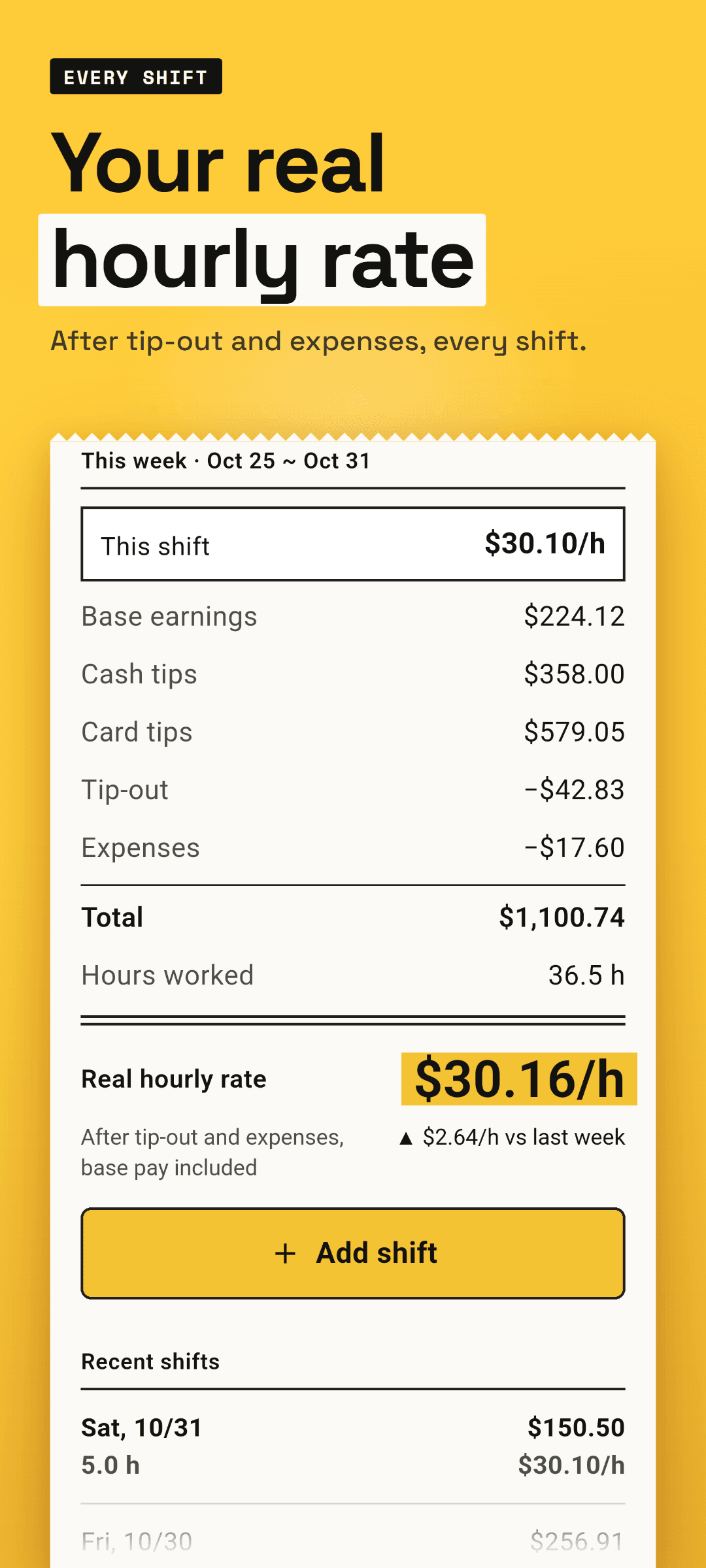
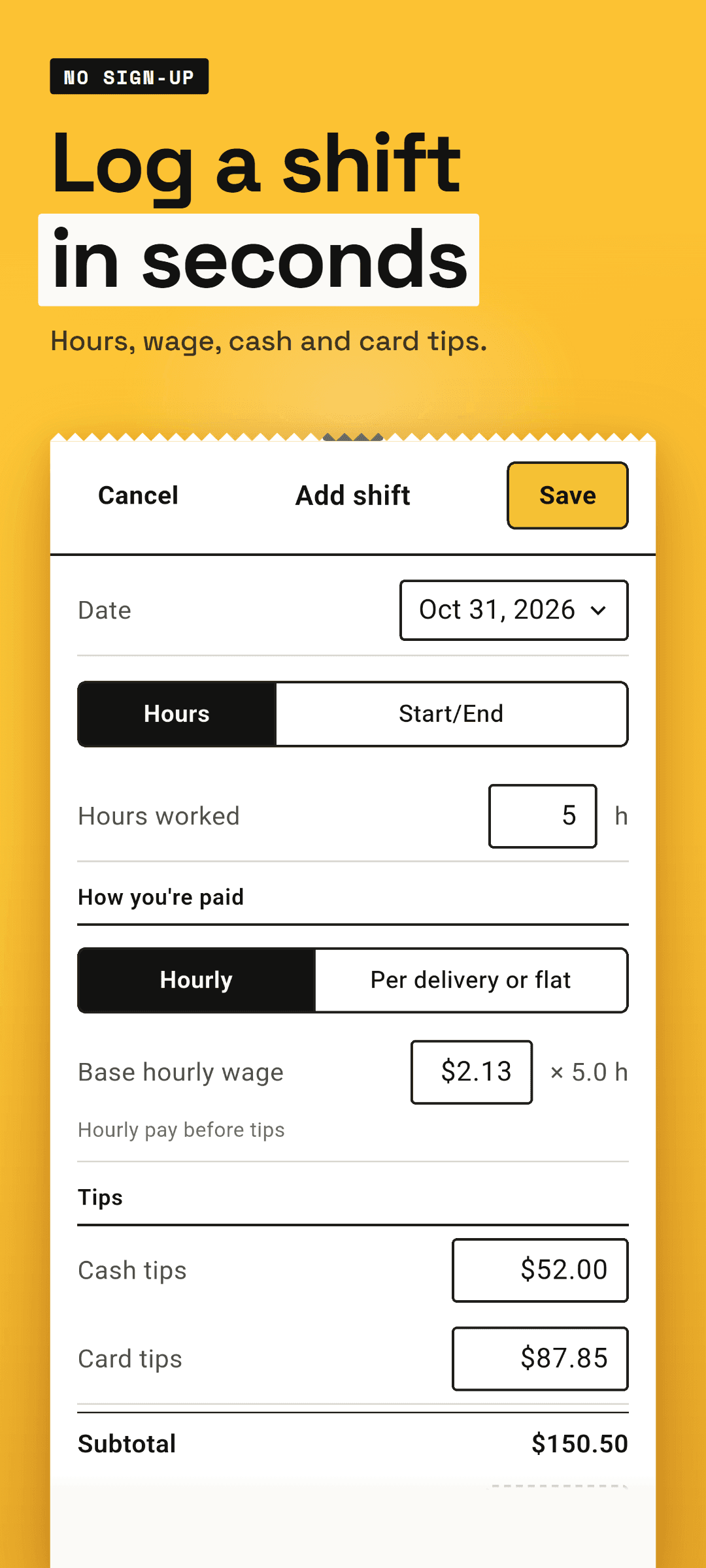
Shiftpenny shows what each shift really paid per hour: your base pay plus tips, minus tip-out and expenses, divided by the hours you worked. Log a shift in seconds with no sign-up, and its real hourly rate is at the top of Home the moment you save.
How it works
- 1Add a shift. The date is already today, so enter your hours or your start and end time. Your base hourly wage is remembered.
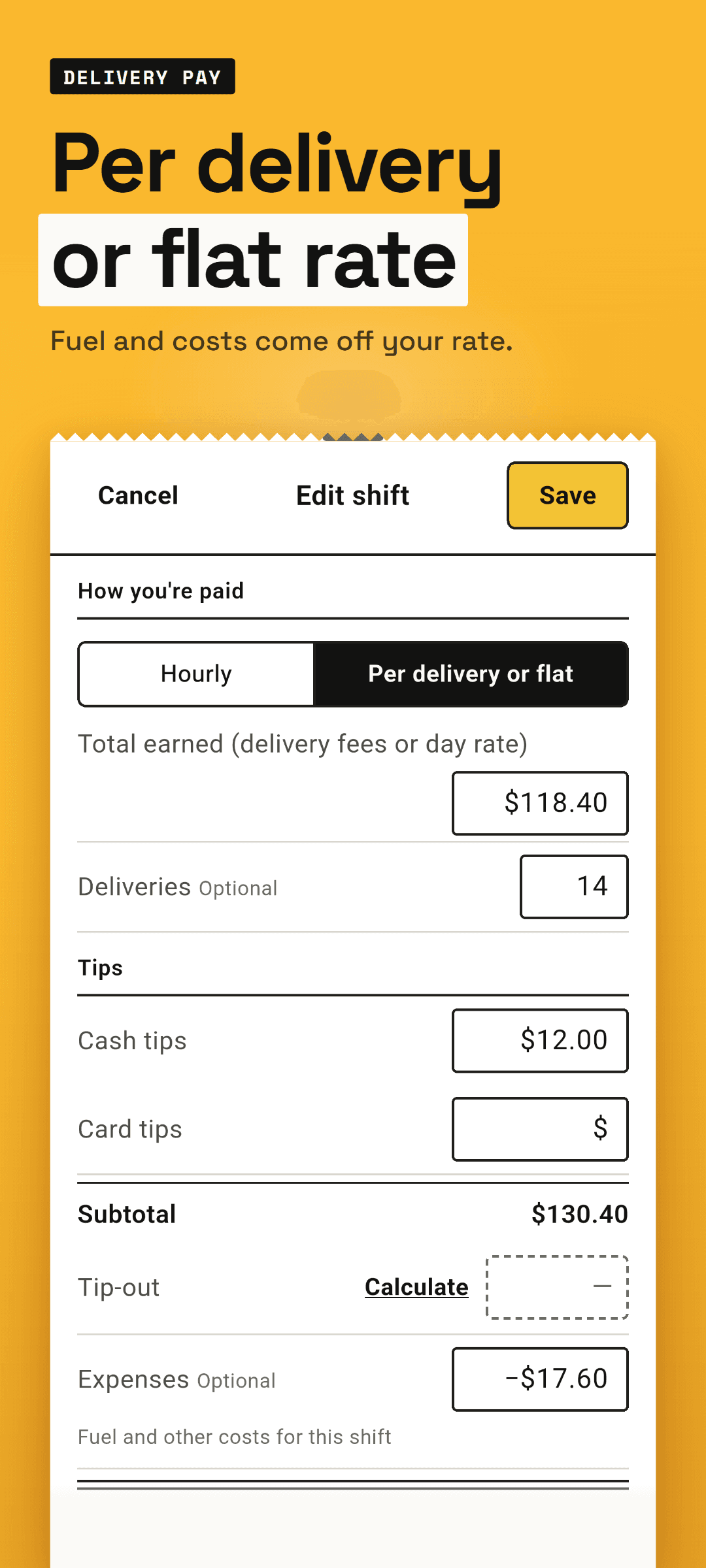
- 2Add cash tips and card tips. Paid per delivery or a flat day rate? Enter the total, the number of deliveries and your fuel or other costs.
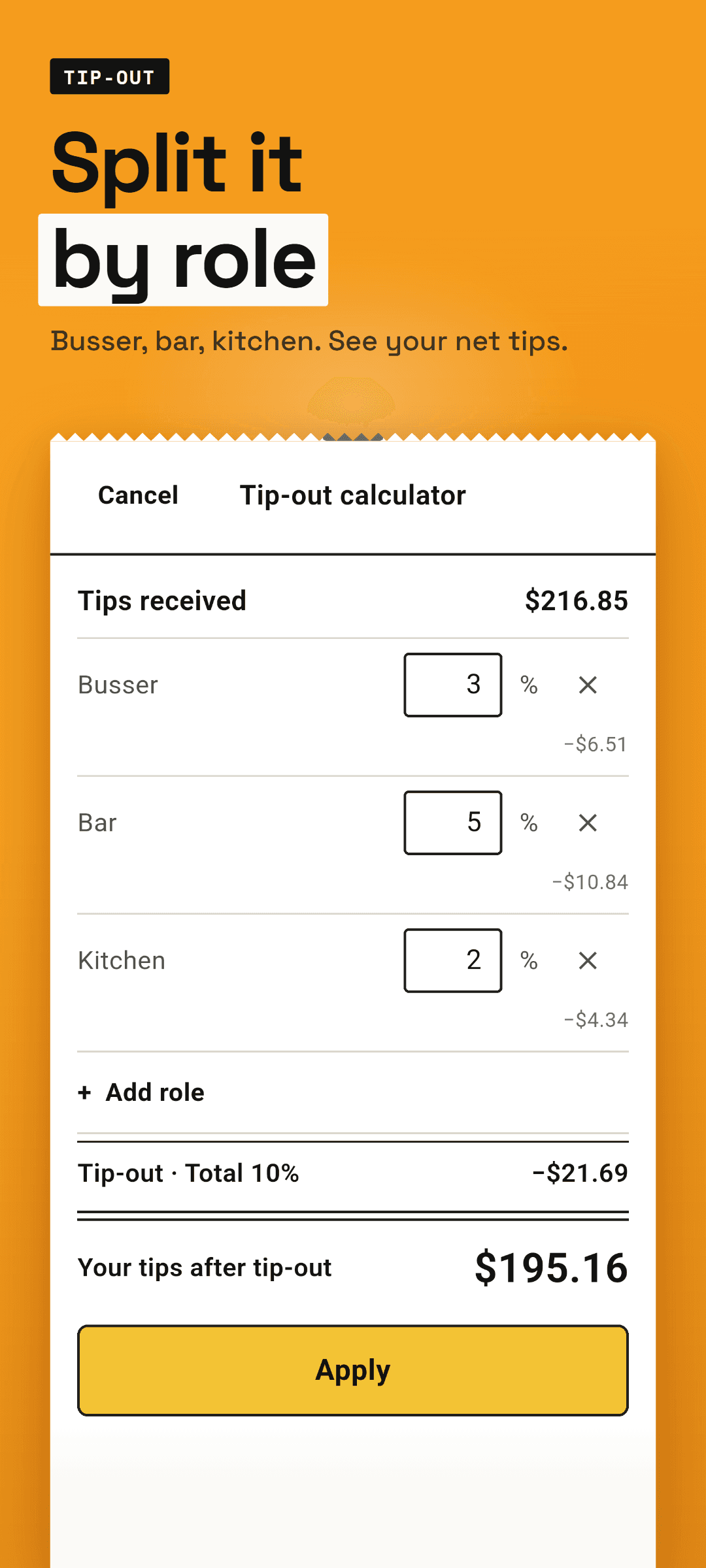
- 3Tipping out? Enter a percentage for the busser, the bar or the kitchen, or add your own roles, then apply it to the shift in one tap.
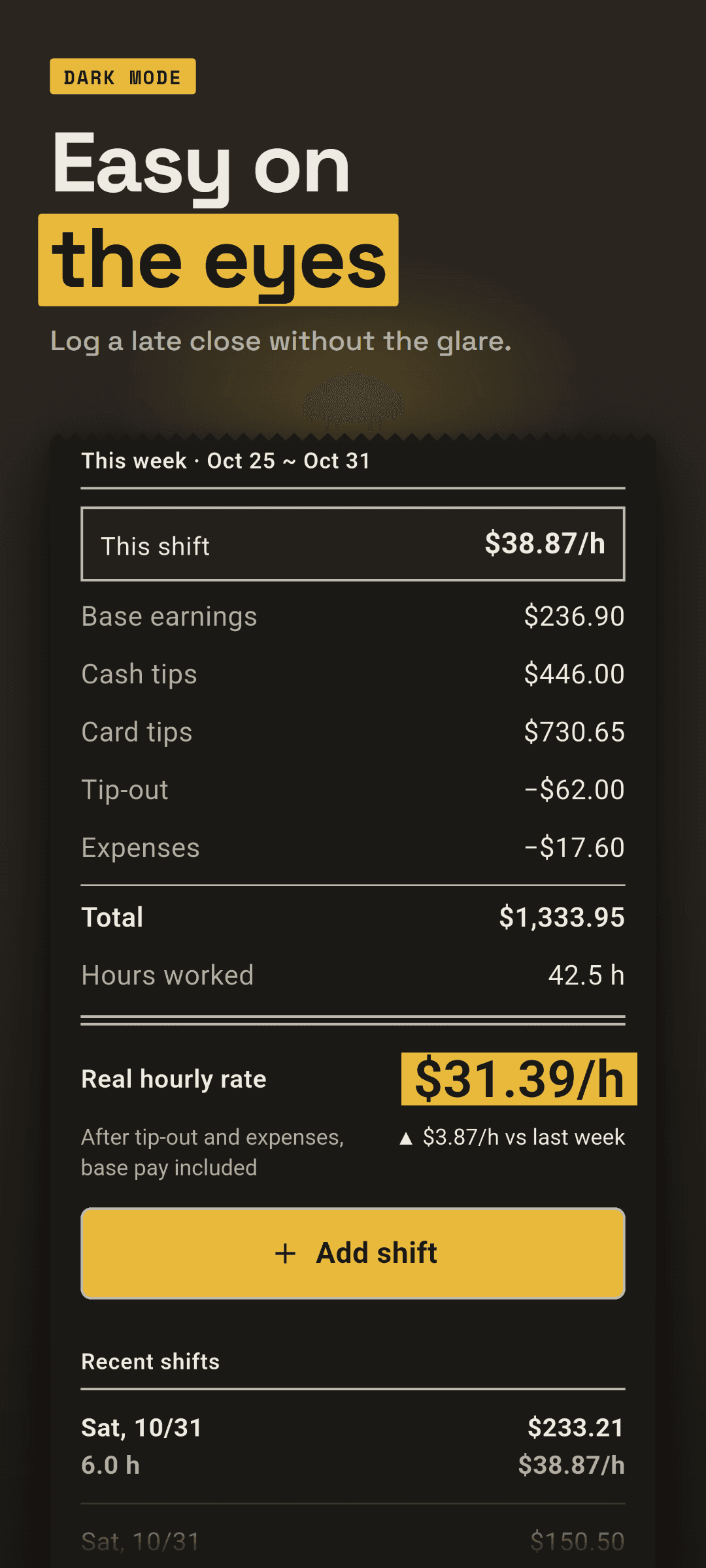
- 4Save, and the shift's real hourly rate shows at the top of Home, with this week's rate, total and hours and how they compare with last week.
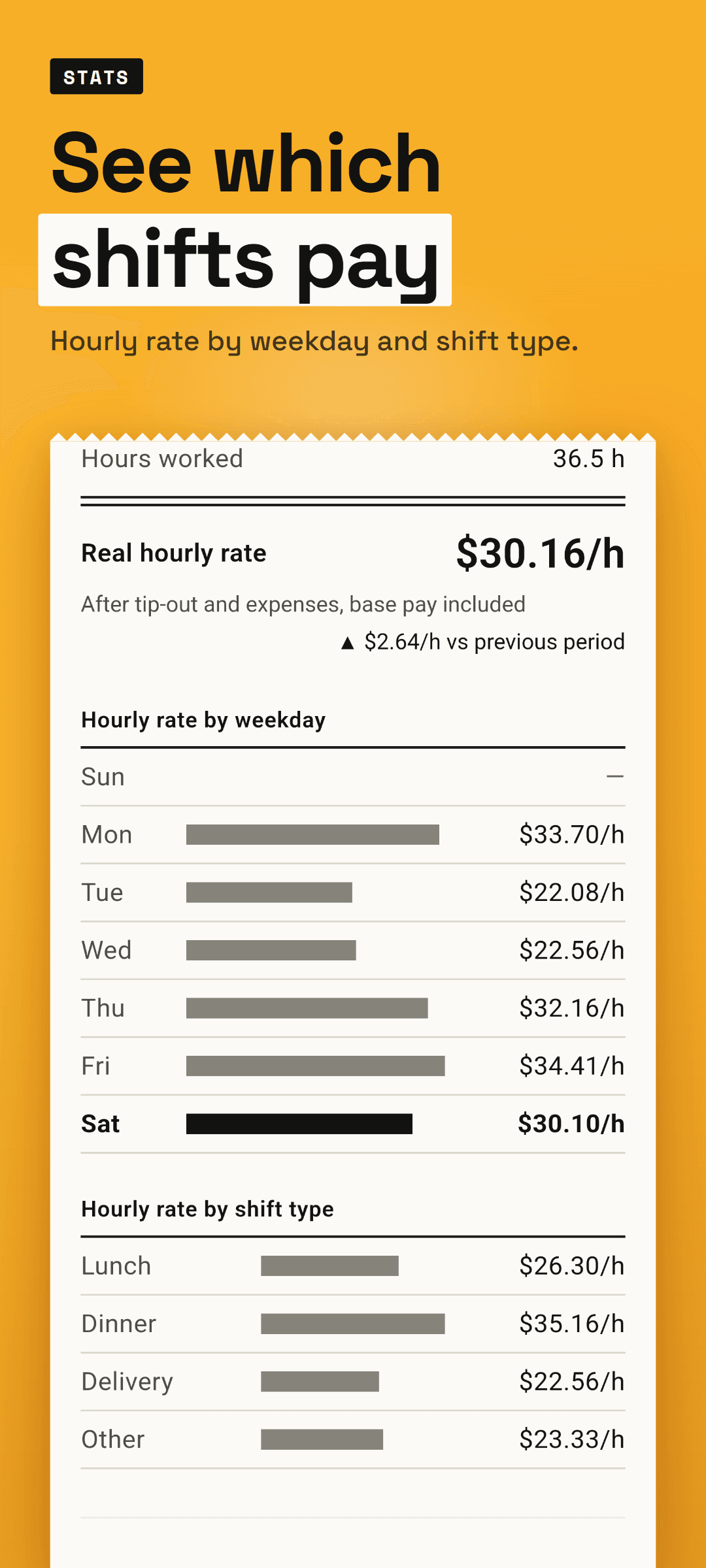
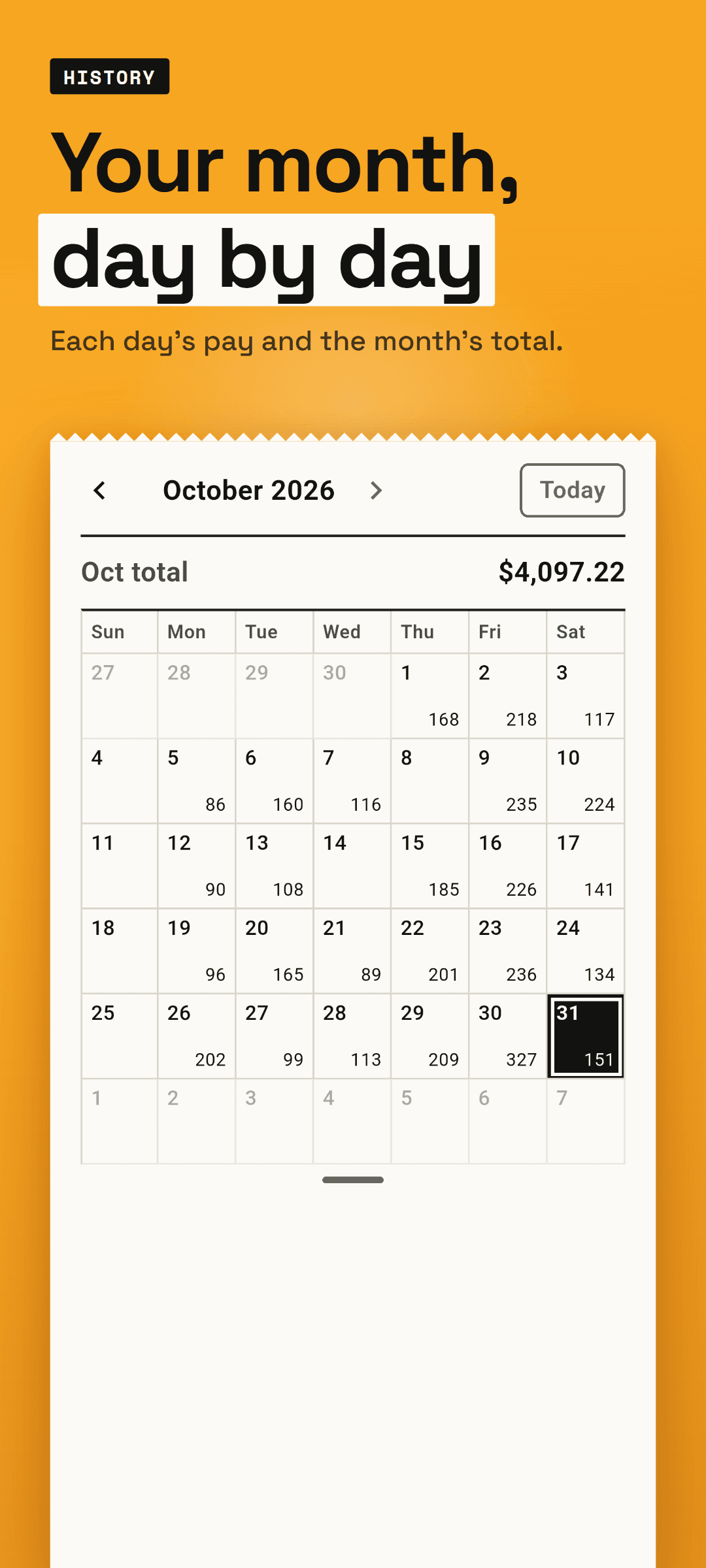
- 5As shifts add up, weekly and monthly stats show your hourly rate by weekday and by shift type, and the calendar shows what you made each day.
Why Shiftpenny
- Your real hourly rate, not just your tips. Base pay, tips, tip-out and expenses come together in one number for every shift.
- No account and no login. Open the app and log the shift right away.
- Tip-out is part of the math. Your tips after tip-out are what count toward your rate.
- Delivery pay counts too. Per-delivery or flat pay, with fuel and other costs taken off, becomes an hourly rate.
- See which shifts pay. Compare your hourly rate by weekday and by shift type, such as lunch, dinner or delivery.
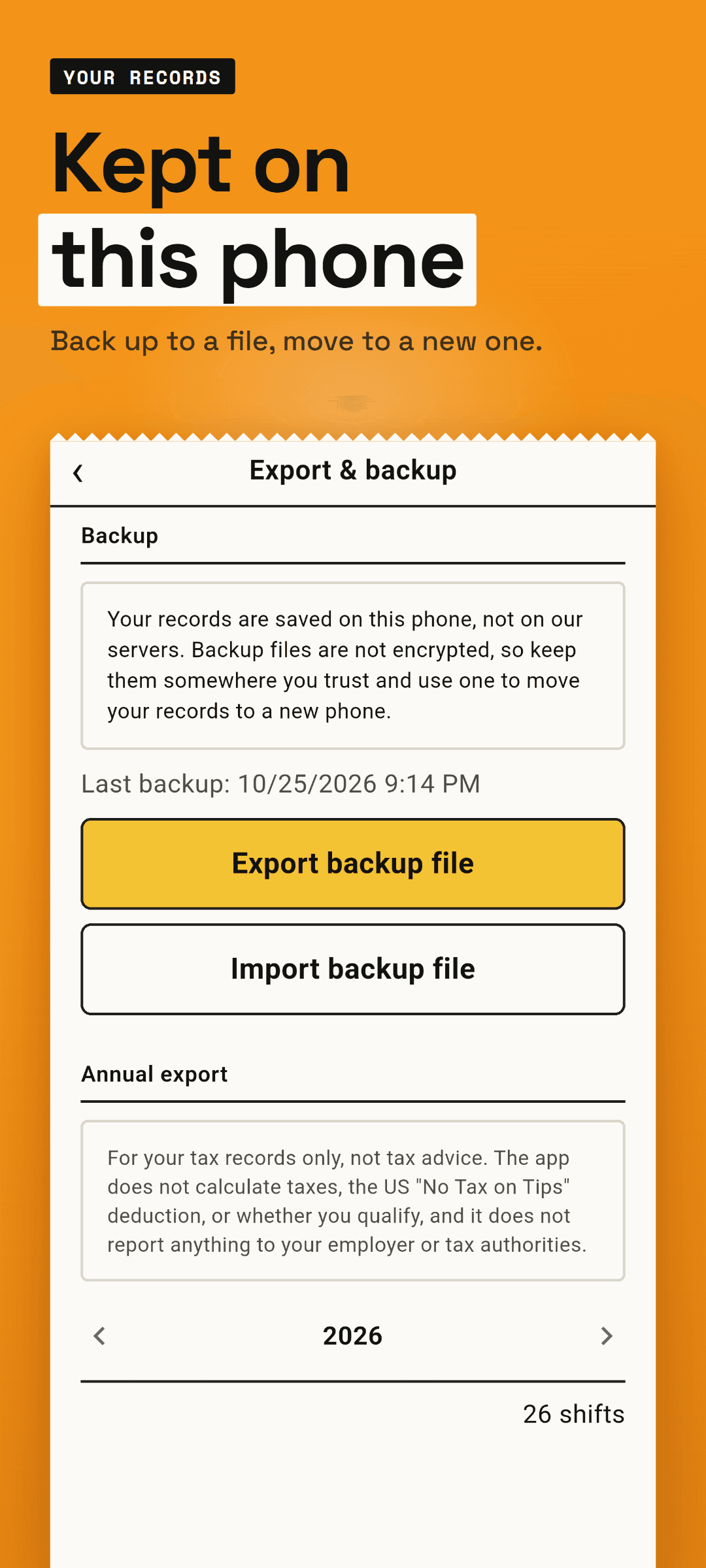
- Your records stay on your phone, not on our servers. A backup file moves them to a new phone.
What's inside
- A shift log that takes seconds: hours or start and end time, with today's date and your base hourly wage already filled in
- Hourly pay, or per-delivery and flat day pay with the number of deliveries and your fuel or other costs
- Cash tips and card tips, plus a tip-out calculator by role: busser, bar, kitchen or your own
- The real hourly rate of each shift and of the week, with the total, hours and change from last week
- Weekly and monthly stats with your hourly rate by weekday and by shift type
- A calendar with what you made each day and the month's total
- More than one job, your paychecks, and the whole year on one page
- A backup file you export and bring back on a new phone
- A year exported as CSV or PDF for your own records, one short ad per export
- Your own currency, the day your week starts, and light and dark mode, in ten languages
Log your next shift in seconds and see what it really paid per hour.
Frequently asked questions
Does Shiftpenny cost anything?
Every feature is free on Google Play, including tracking more than one job, logging paychecks and seeing the whole year on one page. The app shows ads, and one short ad unlocks each yearly CSV or PDF export. There is no subscription.
Who is it for?
Anyone paid by the shift: servers who get cash and card tips and tip out the busser, bar or kitchen, delivery riders paid per delivery or a flat day rate, and part-time workers on an hourly wage who want their weekly and monthly totals. It is a tool for keeping a record of your own earnings.
Do I need an account, and where are my records kept?
No account and no login. Your shifts are saved on this phone, not on our servers. Backup files are not encrypted, so keep them somewhere you trust and use one to move your records to a new phone. Yearly CSV and PDF exports are for your tax records only, not tax advice: the app does not calculate taxes, the US "No Tax on Tips" deduction or whether you qualify, and it does not report anything to your employer or tax authorities.
How long does it take?
Logging a shift takes seconds. The date is already today and your base hourly wage is remembered, so you enter your hours and any tips and save. The shift's real hourly rate then shows at the top of Home.
Which platforms is it on?
Shiftpenny is available on Android through Google Play, in ten languages: English, Korean, Japanese, German, French, Spanish, Portuguese, Italian, Simplified Chinese and Traditional Chinese.